Best MP3 Players for Running in 2026: Music Without Your Phone
Updated September 2026 · Music without your phone
Want to run with music without carrying your phone? Start with the way you listen. You may need a player for music files, a device that syncs streaming playlists, or a watch that combines music with GPS.
For most runners who want the simplest setup, headphones with built in storage are the easiest place to start. There is less gear to carry and less to think about before the run.
Affiliate disclosure: As an Amazon Associate, RunningGearLab earns from qualifying purchases.
Quick answer: Shokz OpenSwim Pro is the simplest overall choice. SanDisk Clip Sport Go is the closest option to a classic clip player. Mighty 3 works best for Amazon Music. Garmin Forerunner 170 Music is the current watch choice for music plus running data.
Best overall no phone setup
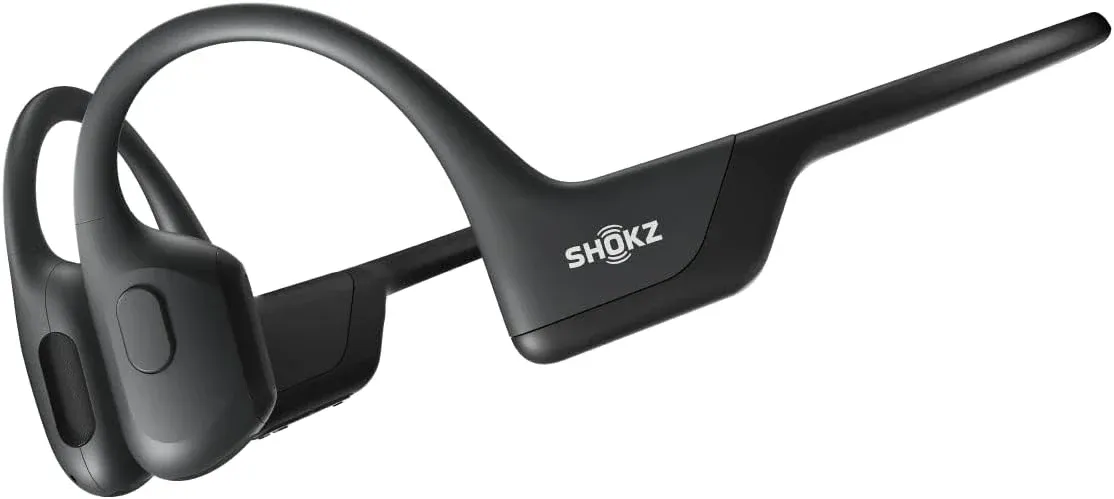
Shokz OpenSwim Pro
No phone. No separate player. OpenSwim Pro stores music inside the headphones, so you can press play and start running without another device clipped to your shorts.
Best for: Runners who want simple music, open ear awareness and fewer devices on easy runs, walks, treadmill sessions or pool workouts.
Start Here: What Kind of Music Setup Do You Want?
Before buying anything, decide what problem you want the device to solve. The best choice changes depending on whether you use music files, streaming playlists or a running watch.
I want music with no extra device
Choose headphones with built in storage. This is the cleanest setup if you do not want a phone, watch, belt or clip player.
I want a small clip player
Choose a traditional MP3 player. This works best if you already own music files and prefer physical buttons.
I want synced playlists
Choose Mighty 3 for Amazon Music. Spotify still works now, but announced support ends in April 2027.
I want music plus running data
Choose a music running watch for songs, GPS, pace and workouts in one device.
Quick Picks: Best MP3 Players and Music Devices for Running
These are the seven main options worth comparing. Start with how each device gets its music, then look at the price and extra features.
Best overall
Shokz OpenSwim Pro
Music storage and open ear headphones in one device.

Classic clip player
SanDisk Clip Sport Go
A small file player with a clothing clip and physical controls.

Tiny streaming player
Mighty 3
A small screen free player for synced Amazon Music playlists.
Current Garmin pick
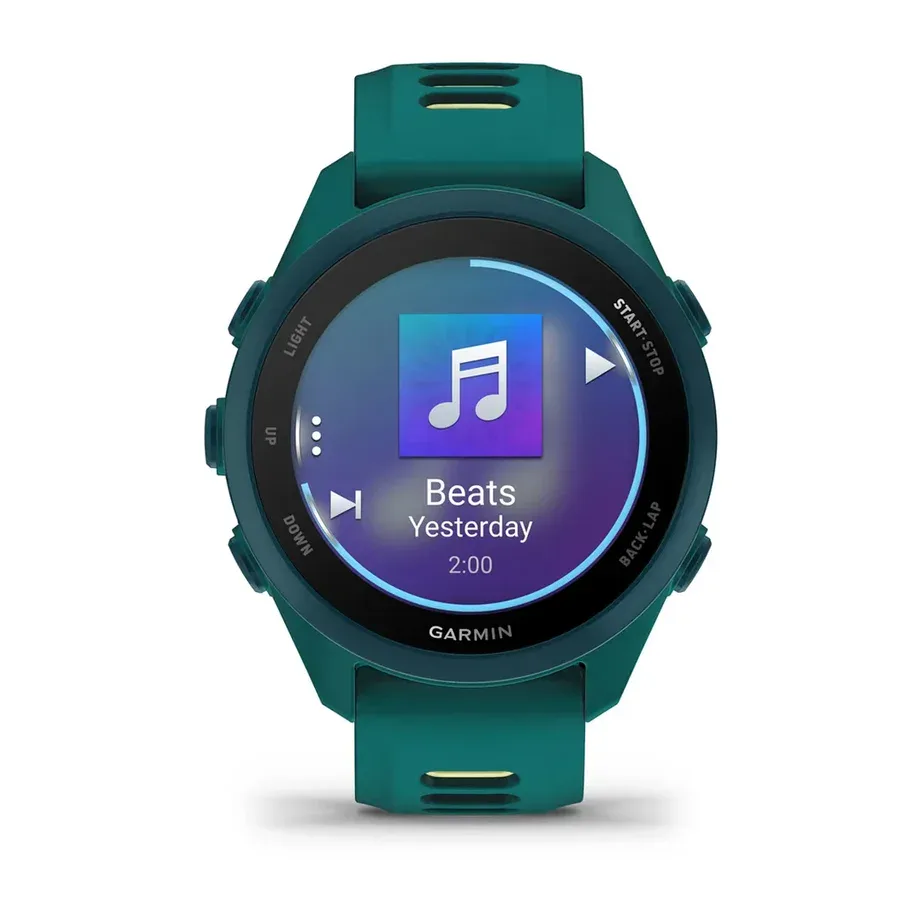
Forerunner 170 Music
A current Garmin running watch with phone free music.

Advanced Garmin deal
Garmin Forerunner 265
An older advanced Garmin that can be excellent on sale.
Best for Apple Music
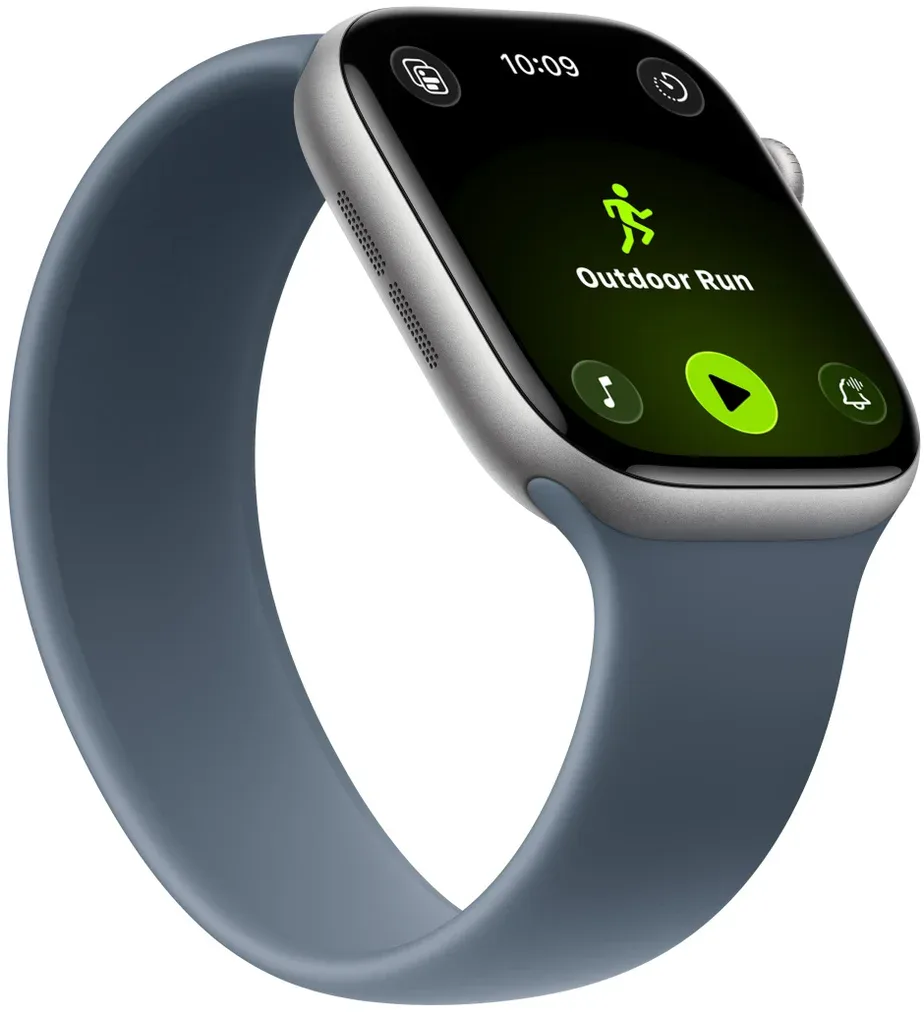
Apple Watch Series 12 or 11
The easiest watch setup for iPhone and Apple Music users.
Waterproof file player
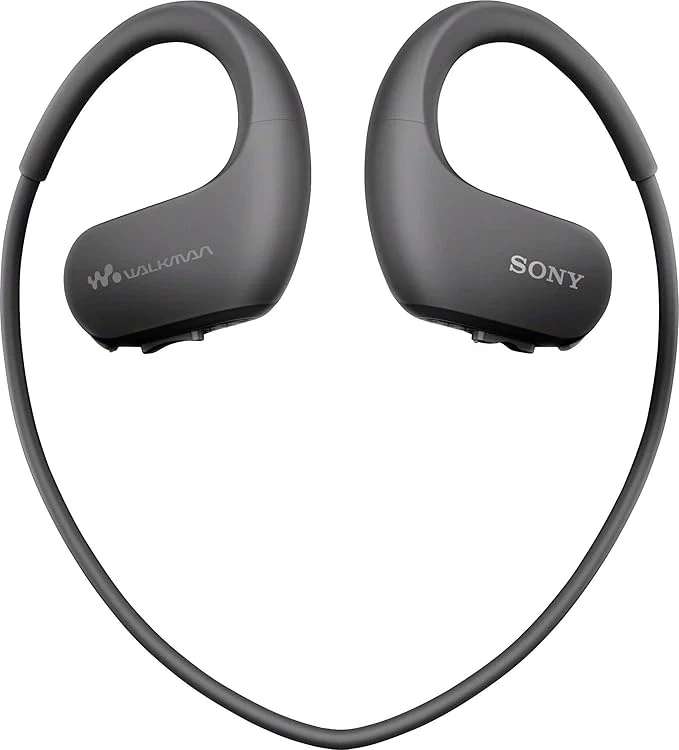
Sony Walkman NW WS413
A rugged file player built into waterproof headphones.
Want fewer screens but still want health data?
A music player solves the phone problem during a run. If you also want sleep, recovery and activity data without another display, compare the best screenless fitness trackers.
Already know you want a running watch?
Use the Running Watch Finder if you want music, GPS, training data and race tools in one device.
Best MP3 Players for Running: Full Reviews
1. Best overall
Shokz OpenSwim Pro
OpenSwim Pro is the cleanest answer for runners who want music without carrying a phone. You do not need to clip a player to your shorts or buy a watch just to hear music.
Load your music files, switch to MP3 mode and start running. When you bring your phone, Bluetooth mode lets the headphones work like a regular wireless pair.
DeviceOpen ear headphones
Storage32GB
MusicMP3 and Bluetooth
Best useNo phone runs
Why it works for runners: There is nothing extra to carry. The open ear design also makes it easier to hear traffic, bikes and other people on shared paths. Keep the volume low enough to stay aware.
What to know before buying: MP3 mode needs compatible music files. Songs inside Spotify or Apple Music cannot simply be copied onto the headphones. Bluetooth also does not work underwater, so swimming uses MP3 mode.
What Works
- Music storage is built into the headphones
- No phone or separate player
- 32GB of storage
- Open ear awareness
- Useful for running and swimming
Keep in Mind
- Costs more than a basic clip player
- MP3 mode requires music files
- Open ear sound is less sealed
- Streaming downloads do not transfer directly
Bottom line: Choose OpenSwim Pro if you want the simplest music setup for running without a phone.
2. Best classic clip player
SanDisk Clip Sport Go
The Clip Sport Go is the closest option here to a simple old school running player. Load music from a computer, plug in your headphones, clip the player to your clothing and run.
It is best for runners who already own MP3 or AAC files and want physical buttons instead of another app.
DeviceClip MP3 player
Storage16GB shown
MusicLocal files
Best useSimple playlists
Why it works for runners: The clip is practical and the buttons are easy to use while moving. You also avoid paying for a music subscription if you already own your songs.
What to know before buying: Treat this as an older stock purchase. Check whether the listing is new, renewed or used. The Clip Sport Go is normally a wired model. Do not confuse it with the Clip Sport Plus, which has different features.
What Works
- Small clip design
- Physical controls
- No subscription required
- Works with owned music files
- Usually cheaper than a watch
Keep in Mind
- Older stock is common
- No streaming downloads
- A computer is needed
- Seller and battery condition matter
- The Go model normally lacks Bluetooth
Bottom line: Choose the Clip Sport Go if you want a traditional file player and find one from a dependable seller.
3. Best tiny streaming player
Mighty 3
Mighty 3 is for runners who want a tiny music player but still like synced streaming playlists. Sync your music before leaving, then listen without carrying your phone.
It works best for Amazon Music users who already wear a GPS watch and do not want another screen during the run.
DeviceSmall music player
Capacity1,000 plus songs
MusicSynced playlists
Best useAmazon Music
Why it works for runners: It keeps the phone out of the run. There are no notifications and no scrolling. It works with Bluetooth and wired headphones.
Spotify warning: Mighty says Spotify will continue working through April 20, 2027. Spotify support ends on April 21, 2027. Do not buy Mighty mainly for long term Spotify use.
What to know before buying: Mighty is not a traditional MP3 file player. A phone is still needed for setup and playlist syncing. Amazon Music is now the stronger reason to choose it.
What Works
- Tiny and light
- No screen or notifications
- Bluetooth and wired headphones
- Synced Amazon Music playlists
- Useful beside a GPS watch
Keep in Mind
- Spotify support has an end date
- Not a true file player
- A phone is needed for syncing
- No GPS or pace data
Bottom line: Choose Mighty 3 if you use Amazon Music and want a tiny player without another screen.
4. Best current Garmin
Garmin Forerunner 170 Music
The Forerunner 170 Music is the current Garmin starting point for runners who want music and training data on the same device.
It tracks pace, distance, heart rate, workouts and recovery while storing music for runs without a phone.
DeviceGPS running watch
Case43 mm
MusicApps and downloads
Best useRegular training
Why it works for runners: Music and running data stay on your wrist. Physical buttons are useful with sweaty hands, and Garmin Pay can cover an unplanned water stop.
What to know before buying: Garmin sells a regular 170 and a 170 Music. Only the Music version stores audio. It also lacks the multi band GPS and triathlon support included with the 265.
What Works
- Current Garmin model
- Music and GPS in one device
- Garmin Pay
- Comfortable 43 mm case
- Useful training and recovery tools
Keep in Mind
- Only the Music version stores audio
- No multi band GPS
- No full maps
- Costs more than a dedicated player
Bottom line: Choose the 170 Music if you want a current Garmin with music and the tools most road runners need.
5. Best advanced Garmin deal
Garmin Forerunner 265
The Forerunner 265 is older, but it remains a strong buy when it is clearly discounted. It adds more advanced running features than the 170.
This is the better Garmin choice if you train for triathlons, run in difficult GPS areas or want deeper performance data.
DeviceAdvanced GPS watch
Sizes42 or 46 mm
MusicApps and files
Best useAdvanced training
Why it works for runners: You get music, multi band GPS, triathlon mode, workouts and stronger training tools in one watch.
What to know before buying: The price decides whether it is a good value. Compare it with the 170 and newer 570 before ordering. If the difference is small, the newer watch may make more sense.
What Works
- Music on every 265 model
- Multi band GPS
- Triathlon mode
- Two case sizes
- Strong training features
Keep in Mind
- Older Garmin model
- Value depends on the sale price
- No full maps
- More watch than some runners need
Bottom line: Choose the 265 when you want advanced running features and find it at a worthwhile discount.
Still considering the Forerunner 165 Music? It remains capable when it is clearly cheaper than the 170. Read the full Forerunner 165 review, then compare the actual prices.
6. Best for Apple Music
Apple Watch Series 12 or Discounted Series 11
Apple Watch is the easiest watch based music setup if you already use an iPhone, Apple Music and AirPods.
Series 12 is the current regular model. Series 11 is now the sale choice and should only be considered when the discount is meaningful.
DeviceSmartwatch
BatteryUp to 24 hours
MusicApple Music and apps
Best useiPhone users
Why it works for runners: Apple Music and AirPods work together with very little fuss. You can download music before the run or use cellular streaming with a compatible watch and plan.
What to know before buying: An iPhone is required for setup. Garmin offers longer battery life, physical buttons and more running focused training tools. Apple is stronger for music convenience and everyday smartwatch features.
What Works
- Simple Apple Music setup
- Easy AirPods pairing
- Downloaded music without a phone
- Strong everyday apps
- Good screen and controls
Keep in Mind
- An iPhone is required
- Shorter battery than Garmin
- Less focused on run training
- Costs more than a true MP3 player
Bottom line: Choose Series 12 at regular pricing. Compare Series 11 only when its sale price is substantially lower.
7. Best waterproof file player
Sony Walkman NW WS413
The Sony follows the same basic idea as Shokz. Music storage is built into the headphones, so there is no separate device to carry.
It is rugged and simple once your files are loaded, but it is an older product with much less storage than OpenSwim Pro.
DeviceMP3 headphones
Storage4GB
MusicLocal files
Best useWet workouts
Why it works for runners: There is no phone and no separate player. It can also handle swimming, heavy sweat and wet weather.
What to know before buying: This is an older file based product. Check the seller, condition, charging cradle and return policy. It is not designed for Spotify or Apple Music.
What Works
- Player and headphones in one
- Waterproof construction
- Useful for running and swimming
- No phone needed
- Up to 12 hours of playback
Keep in Mind
- Only 4GB of storage
- No streaming playlists
- Older model and accessories
- Less flexible than OpenSwim Pro
Bottom line: Choose the Sony if you want a rugged file player for running and swimming and find a reliable listing.
Compare the Best Running Music Devices
Start with the way you actually listen to music. That matters more than the device name or storage number.
Shokz OpenSwim Pro
Best for the cleanest setup. Music storage is inside the headphones. Bluetooth works when your phone is present.
SanDisk Clip Sport Go
Best for a classic clip player with physical controls. Choose it if you already own music files.
Mighty 3
Best for Amazon Music users who want a tiny screen free player. Spotify support has an announced end date.
Forerunner 170 Music
Best for runners who want current Garmin training tools and phone free music in one watch.
Garmin Forerunner 265
Best for advanced training when the sale price is good. It adds multi band GPS and triathlon support.
Apple Watch Series 12
Best for iPhone, Apple Music and AirPods users. Compare Series 11 only when it is heavily discounted.
Sony Walkman NW WS413
Best for local music files, wet workouts and swimming. It is simple but built on older hardware.
Should You Buy an Old iPod for Running?
Maybe. An old iPod Shuffle or Nano still feels simple in a way phones do not. Pick your songs, press play and run. There are no messages or apps waiting for you.
I would only buy one if you are comfortable checking the battery, buttons, storage, charger, headphone connection and seller history. Some listings described as new are actually used or repackaged.
Good reason to buyYou enjoy loading your own songs and specifically want the old iPod experience.
Reason to skipYou want streaming playlists, simple Bluetooth or a current warranty.
What I would doBuy a modern option unless you specifically want an iPod.
How to Choose an MP3 Player for Running
- Start with files or streamingChoose Shokz, SanDisk or Sony for music files. Mighty works best with Amazon Music. Apple Music is easiest on Apple Watch.
- Decide whether you need GPSBuy a music watch if you also want pace, distance, heart rate, workouts and training history.
- Think about the controlsPhysical buttons are easier with sweaty hands. Headphones with storage remove the separate player completely.
- Be honest about setup timeIf loading files sounds annoying, choose a watch or synced player. If app syncing sounds annoying, choose a true file player.
Practical tip: The best running music device is one you can start in less than a minute. If syncing, pairing or charging becomes a chore, you will probably stop using it.
Which Device Works With Your Music Service?
MP3 or AAC Files
Start withShokz, SanDisk or Sony
Check firstYou need a computer for transfers
Apple Music
Start withApple Watch Series 12
Check firstAn iPhone is required
Spotify
Start withA compatible Garmin or Apple Watch
Check firstMighty support ends in 2027
Amazon Music
Start withMighty 3 or Garmin
Check firstMighty is smaller but has no GPS
YouTube Music
Start withA compatible Garmin music watch
Check firstConfirm the exact watch model
Buying Tips Before You Choose
For the rest of your equipment, see the running gear guide.
MP3 Players for Running FAQ
What is the best MP3 player for running in 2026?
Shokz OpenSwim Pro is the best overall setup for most runners who want music without carrying a phone. SanDisk Clip Sport Go is the better choice if you specifically want a traditional clip player.
Can I listen to music while running without my phone?
Yes. Use headphones with built in storage, a small MP3 player, a synced music player or a running watch with music.
What is the closest thing to an iPod Shuffle for running?
SanDisk Clip Sport Go is one of the closest choices because it is small, clips onto clothing and uses physical buttons. Mighty 3 has a similar screen free feel but uses synced playlists.
Are old iPods still good for running?
They can be if the battery, controls, storage and charger are still in good condition. A current product is easier to recommend when you want a normal warranty and return policy.
Can I use Spotify on an MP3 player?
Traditional MP3 players normally use music files. A compatible Garmin music watch or Apple Watch is safer for Spotify. Mighty supports Spotify through April 20, 2027.
Can I use Apple Music without my phone while running?
Yes. Apple Watch can store downloaded Apple Music for a phone free run. You need an iPhone for the watch setup.
Should I buy an MP3 player or a running watch?
Buy an MP3 player if you only want music and fewer distractions. Buy a running watch if you also want GPS, pace, distance, workouts and training history.
Is Shokz OpenSwim Pro better than a clip MP3 player?
It is better if you want the cleanest setup because there is no separate player. A clip player is better if you already own headphones you like or want a cheaper music only device.
Which Running Music Device Would I Buy?
I would start with Shokz OpenSwim Pro if the main goal is leaving the phone at home. It removes the separate player and has enough storage for a large running library.
Choose SanDisk if you want a traditional clip player. Choose Mighty for Amazon Music and fewer screens. Choose Forerunner 170 Music when you want a current Garmin for both music and training. Move to the 265 when its sale price makes the stronger GPS and training features worthwhile.
For Apple Music, buy Series 12 at regular pricing or compare Series 11 when the discount is substantial.